MAK Product & Usage Guide
Discover and enable Skills and MCP tools in MAK Marketplace, then select them at Agent startup after HeiCode Manager governance.
MAK Product & Usage Guide
MAK Marketplace (HeiCode Market) is a capability catalog and delivery platform for the AI Agent ecosystem. It provides a unified experience for discovering, enabling, and managing Skills and MCP tools, so teams can equip their Agents with authorized expertise and external tools.
Marketplace: https://marketplace.heicode.cc/
MAK Marketplace does more than help you find AI capabilities — it also governs how those capabilities are authorized, checked, and verified before they reach real tasks.
What MAK Marketplace Solves
As AI applications move from single models to capability systems made of knowledge, tools, and Agents, organizations typically run into:
- Capabilities scattered across places, hard to discover and compare;
- Complex installation, configuration, and upgrade processes;
- A gap between what was purchased and what can actually be used;
- Unclear access permissions and security boundaries for external tools;
- Little visibility into whether a capability was enabled successfully or is running correctly;
- No unified mechanism for authorization, disabling, and auditing.
MAK Marketplace addresses these with a unified capability catalog, entitlement management, a governed delivery flow, and security controls.
What You Can Do
- Browse a curated catalog of Skills and MCP tools
- Review capability descriptions, versions, risk levels, and supported runtimes
- Enable a capability for yourself or for an enterprise organization
- Manage the organization's available capabilities centrally in HeiCode Manager (HM)
- Select the capabilities you need when starting an Agent, Agent Team, or Swarm
- See whether a capability is authorized, awaiting approval, or waiting on credential binding
Value by Role
For capability users
- Discover and compare AI capabilities in one marketplace;
- Review capability descriptions, versions, use cases, and compatibility;
- Enable capabilities authorized for you or your organization;
- Select the capabilities you need when starting an Agent, Agent Team, or Swarm;
- See capability state and any failure details;
- Manage enabled capabilities within your authorized scope.
For enterprises and teams
- Build a unified AI capability catalog;
- Centrally manage what the organization can use;
- Set governance policy and approval rules to match your requirements;
- Reduce the risk of external tools reaching sensitive resources;
- Keep the records you need for key operations;
- Disable or revoke capabilities to control further use.
For developers and publishers
- Publish and showcase Skills and MCP tools;
- Manage capability descriptions, versions, and compatibility information;
- Follow the platform process for testing, updates, and removal.
Capability Types
Skill
A Skill gives an Agent domain knowledge, task standards, and workflows — for example code review standards, testing strategies, industry analysis methods, or documentation workflows.
Once enabled, the Skill enters your organization capability catalog in HM. When you start a supported Agent, you can select which Skills to load for that run.
MCP
MCP gives an Agent external capabilities such as search, code repositories, databases, browsers, and cloud tools.
Some MCP tools require an enterprise admin to complete connector and credential binding in HM first. The marketplace neither stores nor accesses your organization's credentials in plaintext; an MCP that hasn't completed secure binding stays in a waiting state rather than falling back to plaintext configuration.
How It Works
- Browse Skills or MCP tools in the marketplace.
- Enable the capability you need.
- The capability syncs to your personal or organization capability catalog in HM.
- HM enforces organization policy, approvals, and credential checks.
- Select the capabilities you need when starting an Agent.
- HM securely delivers the approved capabilities to the corresponding runtime.
Marketplace: browse and enable a capability
  -> Sync to the personal / organization capability catalog in HM
  -> HM enforces organization policy, approvals, and credential checks
  -> Select the capabilities needed for this run at Agent startup
  -> HM delivers them to the runtime, which loads them and reports status
Sign-in and Account Types
The marketplace does not maintain a second account system. When you sign in, the browser redirects to HM for authentication and then returns to the marketplace. The HM token never appears in the URL and never needs to be pasted manually.
- Personal account: enable capabilities for yourself and review your own entitlements.
- Enterprise account: choose whether to enable a capability for yourself or for the organization.
- Organization-scoped enablement and usage are re-validated server-side against membership, governance permissions, and approval requirements.
- Selecting an organization in the UI does not grant admin rights and cannot bypass organization policy.
If your account type or organization looks wrong after signing in, check your organization membership in HM first.
Enabling a Capability
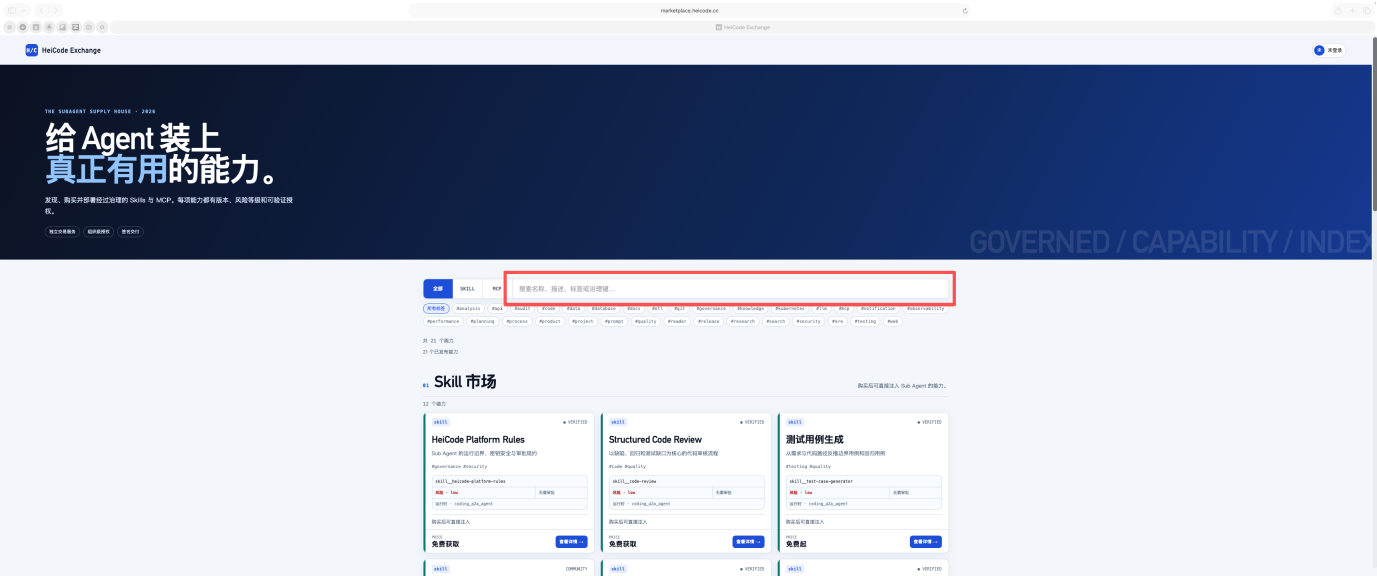
1. Find a capability
Open the MAK Marketplace and filter by search, type, or tags.
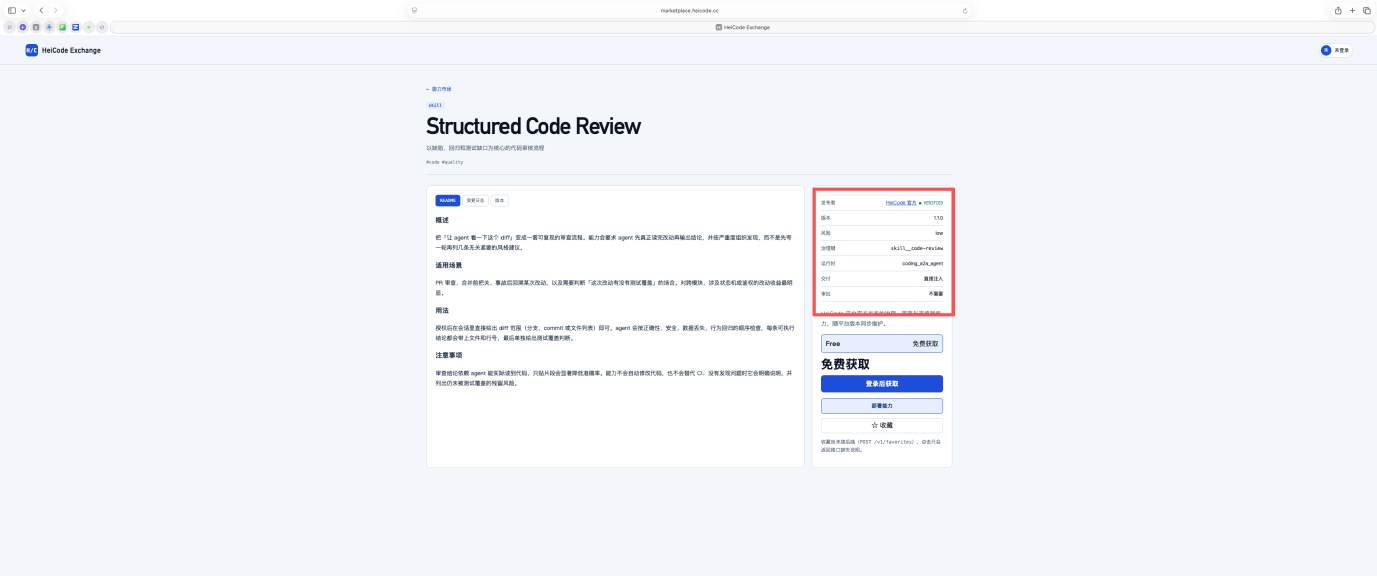
2. Review the details
Open the capability details and review its type, version, risk level, supported runtimes, and approval requirements.
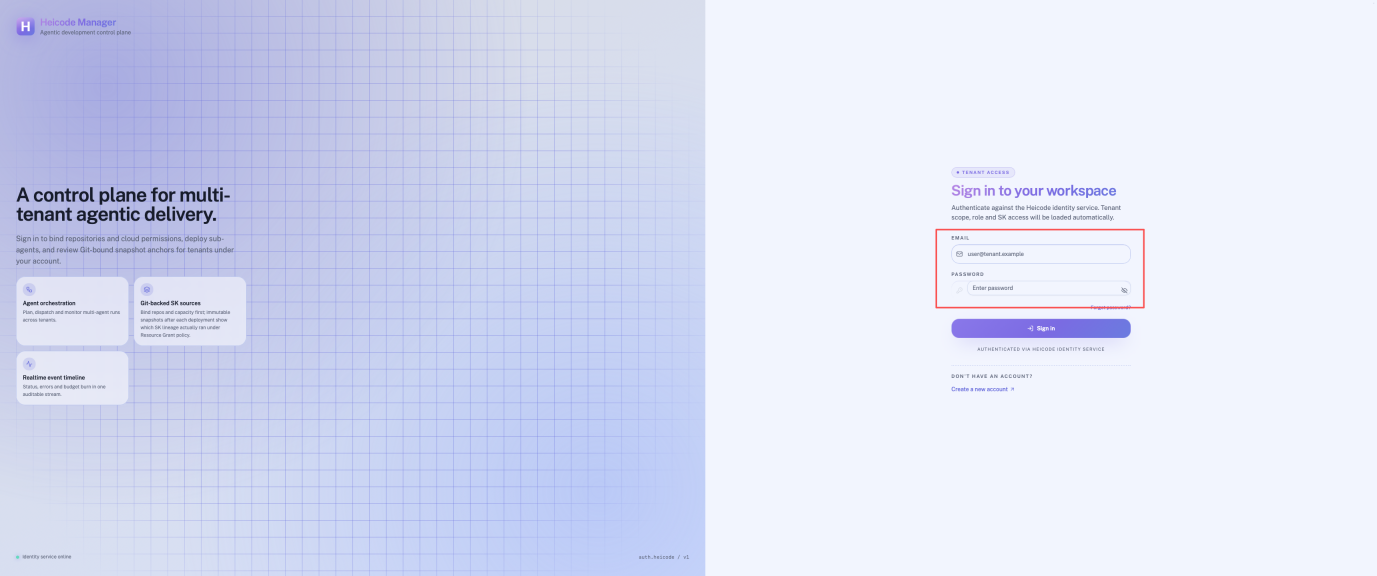
3. Sign in
Selecting enable redirects you to HM to sign in, then returns you to the marketplace.
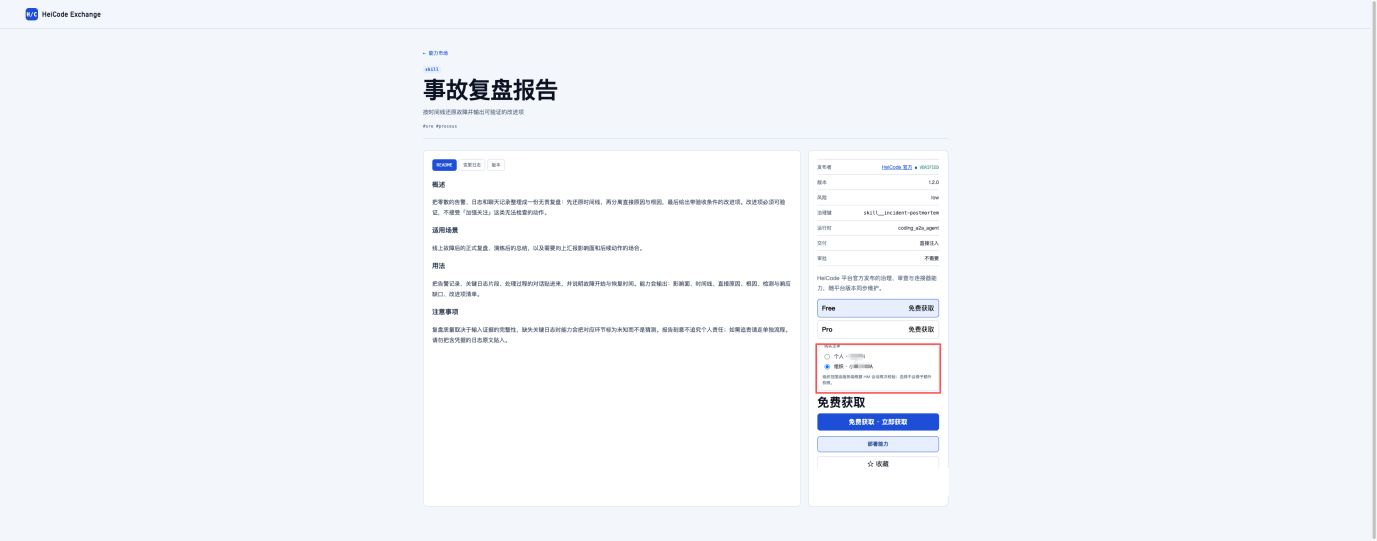
4. Choose the scope
An enterprise account can enable the capability at personal or organization scope.
5. Complete enablement
Free capabilities can be enabled directly. Once the entitlement is created, the capability syncs to the corresponding HM capability catalog.
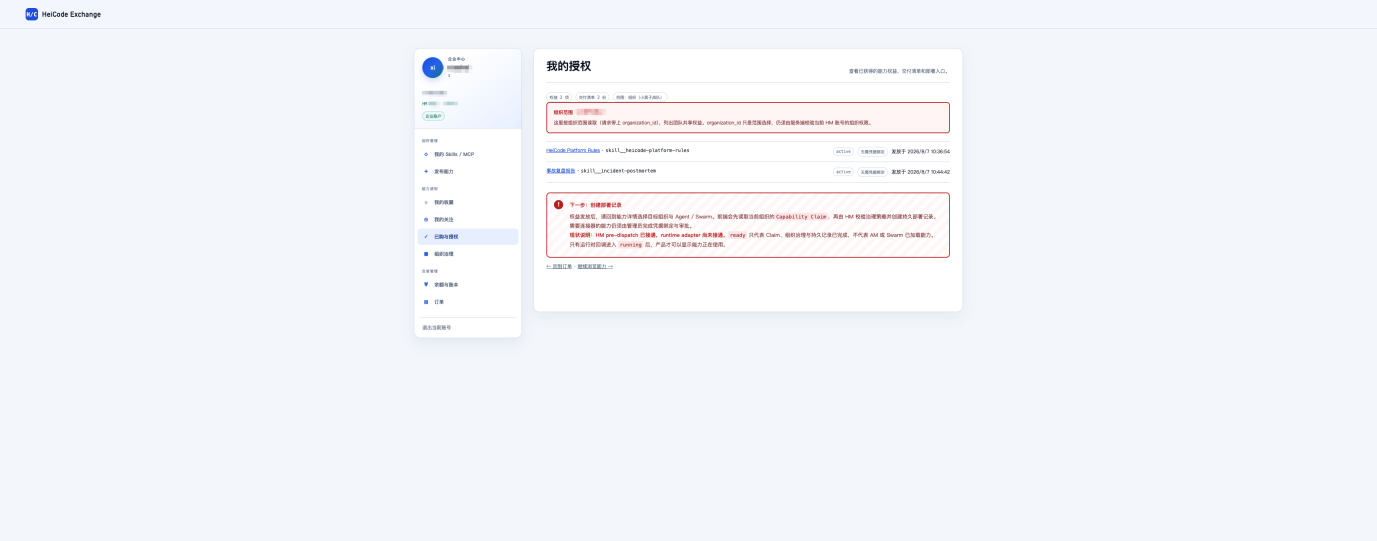
Submitting twice does not issue a duplicate entitlement. An entitlement records "whether this can be used at all" — which is separate from "whether it is selected for this particular run".
Selecting Capabilities at Agent Startup
Once a capability is in the HM organization catalog, select what you need for the run when starting it in HM. Supported target types:
- Single Agent
- Agent Team
- Swarm
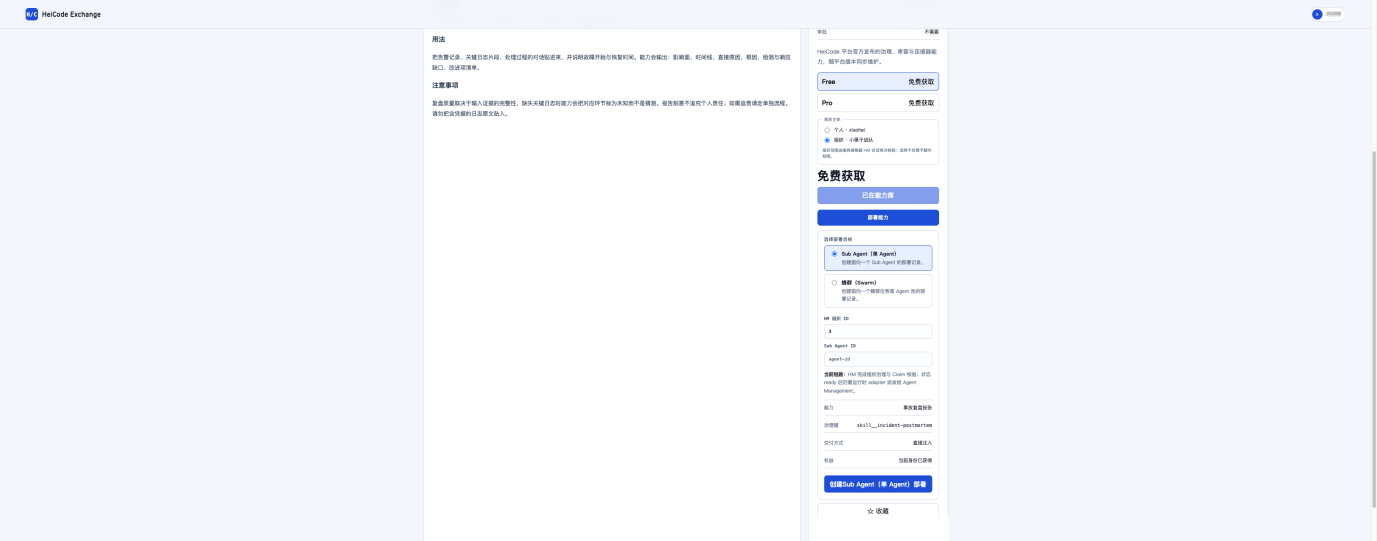
Which capabilities are actually available in a given runtime depends on what the HM startup page shows and on the final governance result.
Capability States
| State | Meaning | What to do |
|---|---|---|
| Authorized | Enabled and cleared by organization policy; selectable at startup | Select it on the startup page |
| Approval required | Organization policy requires admin approval before use | Wait for an authorized admin |
| Awaiting credential binding | An MCP connector or credential binding isn't complete yet | An organization admin completes binding in HM |
| Disabled | Entitlement revoked, disabled by the organization, or blocked by a policy change | It won't be delivered to the runtime |
After a capability is selected and delivered, the runtime loads it and reports the result. If loading fails, troubleshoot using the failure details the runtime returns.
Verifying a Capability
After enabling and selecting a capability, verify it with a real task rather than relying on status indicators alone.
- Skill: run a task that exercises the Skill's rules or workflow. A code review Skill, for example, should surface risks, behavioral regressions, and missing tests for an actual change — not just return generic conclusions.
- MCP: perform a real tool call. A content-reading MCP, for example, should fetch a public URL and return the page content; seeing the MCP name or a configuration record does not prove the tool works.
Product Boundaries
| System | Responsible for |
|---|---|
| Marketplace | Capability discovery, capability descriptions and version management, entitlements and authorization, syncing capability information to HM |
| HeiCode Manager (HM) | The organization capability catalog, capability selection at startup, allow/deny policy, risk approval, MCP credential binding, delivering capabilities to runtimes |
| Agent Management and Swarm | Loading the selected capabilities, enforcing runtime permissions, reporting load success or failure |
The marketplace does not start Agents, does not create runtime resources, and does not store MCP credentials in plaintext.
Built-in Swarm Capabilities
A Swarm runtime may also provide these platform built-in capabilities:
- Agent Swarm collaboration tools
- Context Mode context management
- Daytona cloud sandbox
- Jina search and content retrieval
These are managed by the platform runtime and are not affected by marketplace capability selection.
Security and Governance
Governance principles
MAK Marketplace manages obtaining a capability separately from actually using it. Obtaining a capability does not let it bypass enterprise rules to reach runtimes or sensitive resources.
The platform provides security and governance controls across these stages:
| Stage | Description |
|---|---|
| Capability review | Capability information and versions are managed under platform rules |
| Authorization check | Confirms whether the person or organization holds the entitlement |
| Organization governance | Decides usability based on the configured governance policy |
| Configuration protection | Protects connection settings and sensitive credentials from ordinary pages |
| Runtime verification | Reports processing results and any failure details back to the user |
| Records | Retains the records needed for enablement, usage, and policy changes |
| Disabling | Restricts further use when permissions or capability state change |
Which security features are available depends on your version, deployment mode, and configuration.
Governance essentials
- Every capability is authorized within a personal or organization scope.
- Organization policy is deny-first: when both an allow and a deny rule match, deny wins.
- MCP credentials are bound securely in HM; the marketplace never handles credentials in plaintext.
- HM re-validates capability state at startup.
- Capabilities that are unauthorized, disabled, or missing a binding are never delivered to a runtime.
- Long-lived credentials are kept in the credential vault and used by reference only; ordinary responses, logs, and audit records never echo plaintext credentials.
Enablement, authorization, and actual use are three separately governed steps.
Personal and Enterprise Workspace
After signing in, you can manage your capability assets in the workspace. Which entries you see depends on the account type returned by HM:
| Entry | Purpose | Visible to |
|---|---|---|
| My Skills / MCP | Review the capability assets you manage | All accounts |
| Publish a capability | Open the publishing workspace to submit a Skill or MCP | All accounts |
| My favorites | Review the capabilities you saved | All accounts |
| Enabled & authorized | Review your current active entitlements | All accounts |
| Organization governance | Review organization availability and policy impact | Enterprise accounts only |
Disabling and Revoking
Revoking is not just hiding a marketplace card. A complete revocation stops the entitlement or organization authorization, the availability in the HM catalog, and the capability already loaded in the runtime.
After revoking, confirm that:
- The capability no longer appears in the selectable list at startup;
- The runtime no longer reports it as loaded;
- Running the original task again is rejected rather than continuing on cached configuration.
If the page offers no revoke entry point, contact your organization admin or platform support. Deleting local files is not a substitute for server-side revocation.
Troubleshooting
The marketplace origin is reported as not allowed
Confirm that you opened the marketplace from https://marketplace.heicode.cc. If the address is correct and the message persists, contact your organization admin or platform support to check the configuration. Don't switch to another domain, and never put sign-in credentials in the address bar.
Enabled, but not visible in the capability catalog
Confirm that your current HM identity matches the scope you enabled it for. A personal entitlement does not become an organization entitlement, and an organization entitlement won't appear under a different organization.
A capability isn't selectable at startup
Check whether it has cleared organization policy, whether it requires admin approval, and whether the current runtime is within its supported scope. Policy is deny-first, so denied capabilities don't appear in the selectable list.
An MCP stays in "awaiting credential binding"
Check whether the organization has completed connector binding. If the MCP requires an access token or other credential, it stays unavailable until secure binding is complete — entering plaintext will not bypass this.
A capability fails to load
Record the capability name, target type, time, and the failure details returned by the runtime. Fix the cause before retrying, and avoid repeating the same operation over and over.
FAQ
Can I use a capability immediately after enabling it?
That depends on the capability type, current authorization, target environment compatibility, organization rules, and any required configuration. Enabling only creates the entitlement and syncs it to the capability catalog; it takes effect once you select the capability at Agent startup and the runtime finishes loading it. Rely on the actual state shown in the product.
Are MCP connection details and credentials shown on the page?
No. Pages for ordinary users never display secrets or access tokens. Long-lived credentials are kept in the credential vault and used by reference only. How connections and credentials are managed depends on your organization's configuration.
Can I make a capability available to my whole team?
An enterprise account can enable a capability at organization scope. Organization authorization and member availability depend on your product version and organization configuration. Enterprise customers can confirm purchasing, member scope, and management requirements during solution review.
What information should I provide when reporting a problem?
Provide the redacted account type, organization identifier, capability identifier, target type, state, time, and error message. Never send passwords, access tokens, API keys, full connection strings, or task content.
Before You Purchase
Before purchasing or rolling out, we recommend confirming the following with the HeiCode team:
- Which features are available in the current version;
- Supported capability types and runtime environments;
- The authorization scope for individuals or the organization;
- Enterprise governance and audit requirements;
- Rollout plan, scope of service, and acceptance criteria.
Note
This page describes the product positioning and usage of MAK Marketplace. Product features, interface names, availability, and terms of service are governed by the official release and the delivery documents both parties confirm.
Last updated on