Connecting Resources, Documentation, and SK
Connecting Resources, Documentation, and SK
An Agent can only use resources you've authorized for the current task. The point of connecting resources isn't to hand all permissions over to the platform — it's to let Heicode generate the minimum usable context for the current task.
Resource types
| Type | Examples | Common use |
|---|---|---|
| Git repository | GitHub, Gitee, self-hosted Git | Read code, write code, create PRs |
| Documentation | PRDs, API docs, architecture docs | Understand requirements and constraints |
| SK skill library | Team standards, tool skills | Guide the Agent to work the team's way |
| Cloud account | Azure, AWS, GCP | Auto-discover resources |
| Cloud resource | VM, database, AKS, static site | Deploy and run |
| Log monitoring | Log services, monitoring dashboards | Troubleshoot issues |
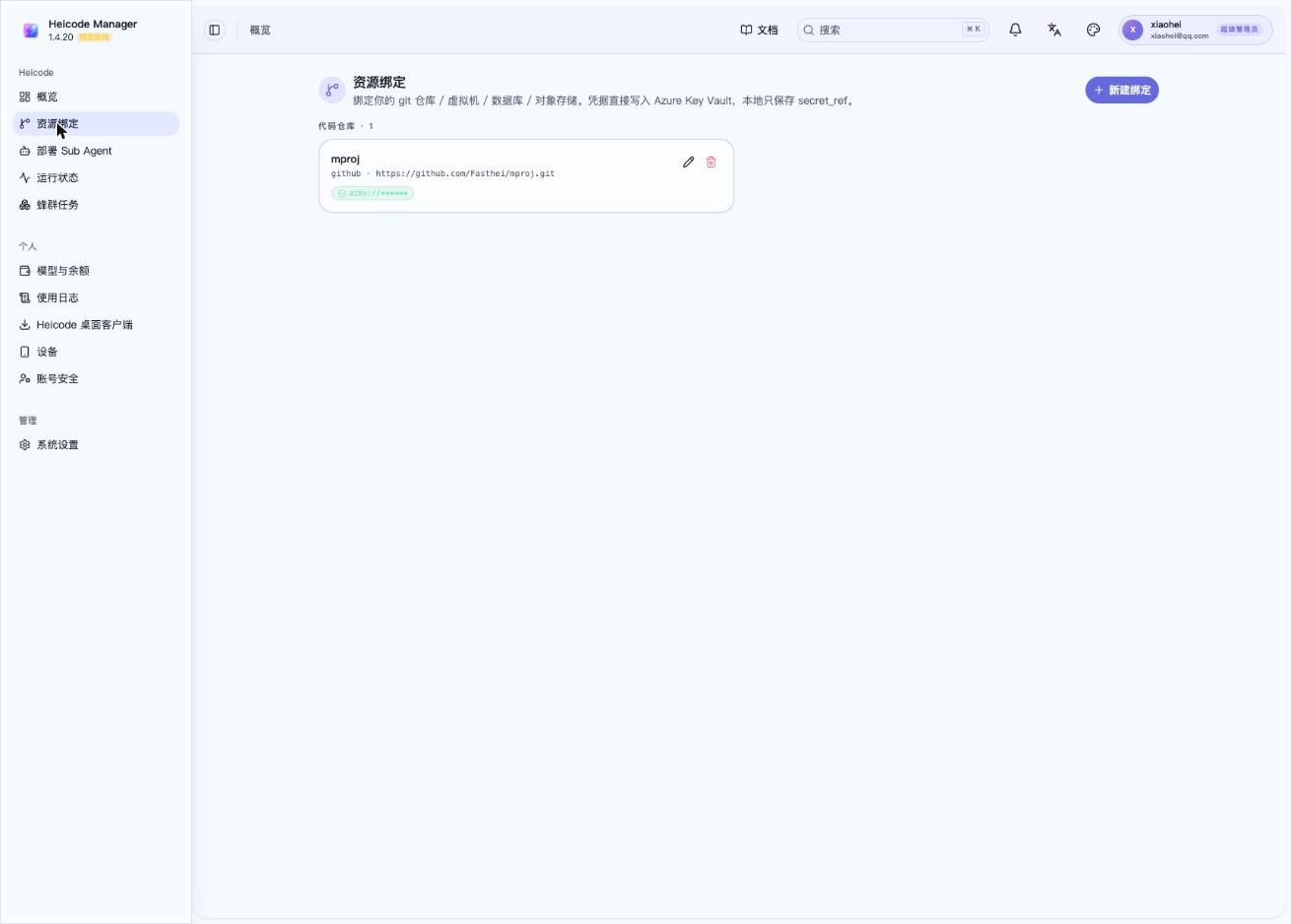
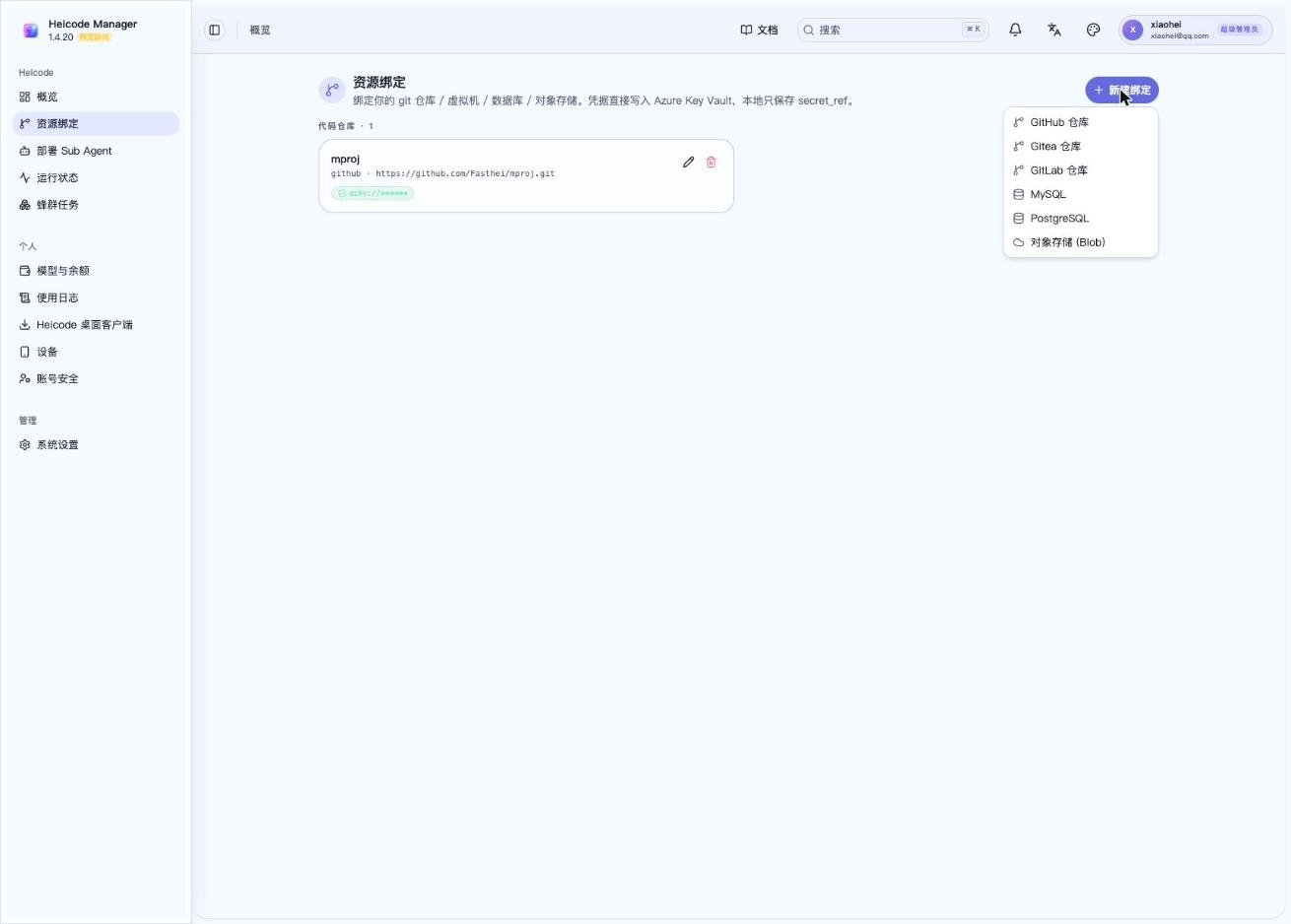
Clicking "New Binding" shows every resource type you can connect:
Connecting Git
When connecting Git, you need to confirm:
- Repository.
- Branch.
- Paths allowed for reading.
- Paths allowed for writing.
- Whether creating branches is allowed.
- Whether committing is allowed.
- Whether creating PRs is allowed.
It's recommended to start read-only. Open up write access only once the Agent actually needs to modify code.
Recommended Git permissions
| Task | Permission |
|---|---|
| Code understanding | Read-only |
| Documentation generation | Read code, write docs |
| Bug fix | Read/write on relevant directories |
| New feature | Read/write on a new branch, PR allowed |
| Production hotfix | Write after approval |
Connecting documentation
Documentation reduces how much the Agent needs to guess.
Recommended to connect:
- Product descriptions.
- User flows.
- Page mockups.
- API documentation.
- Database descriptions.
- Deployment descriptions.
- Security rules.
- Legal and privacy notices.
Documentation permission is read-only by default. When write access to documentation is needed, it should be restricted to the docs path.
Connecting SK
SK is a collection of team working methods and tool capabilities.
Content suitable for SK:
- Coding standards.
- Commit standards.
- Testing standards.
- Frontend design standards.
- Backend API standards.
- Deployment steps.
- Security checks.
- Documentation templates.
SK security rules
- High-risk SKs are disabled by default.
- SKs capable of running shell commands require approval.
- SKs capable of accessing cloud resources require approval.
- SKs capable of writing to databases require approval.
- SKs capable of deploying to production require approval.
- SKs should come from a controlled repository or versioned package.
Connecting a cloud account
Once a cloud account is connected, Heicode should auto-discover resources.
The user only needs to choose:
- Which resources can be used for this task.
- Which resources are read-only.
- Which resources are writable.
- Which resources require approval.
- The authorization's validity period.
Don't manually paste cloud access keys into documentation or chat content.
Connecting a deployment target
A deployment target might be:
- Azure Static Web Apps.
- AKS.
- VM.
- Container Apps.
- Self-hosted server.
- Object storage static site.
Before deployment, confirm:
- Environment.
- Resource group.
- Domain.
- Environment variables.
- Secret source.
- Rollback plan.
- Approver.
Last updated on